Class 3 Digital Signature Certificate (DSC) for GST in India
A Class 3 Digital Signature Certificate is essential for authorized signatories of Companies, LLPs, and businesses to authenticate GST registrations, file monthly and annual returns, submit refund claims, and execute statutory compliance on the GST Common Portal. DNB Digital Solutions provides end-to-end assistance with paperless eKYC verification and USB token setup.
What is a GST Digital Signature Certificate?
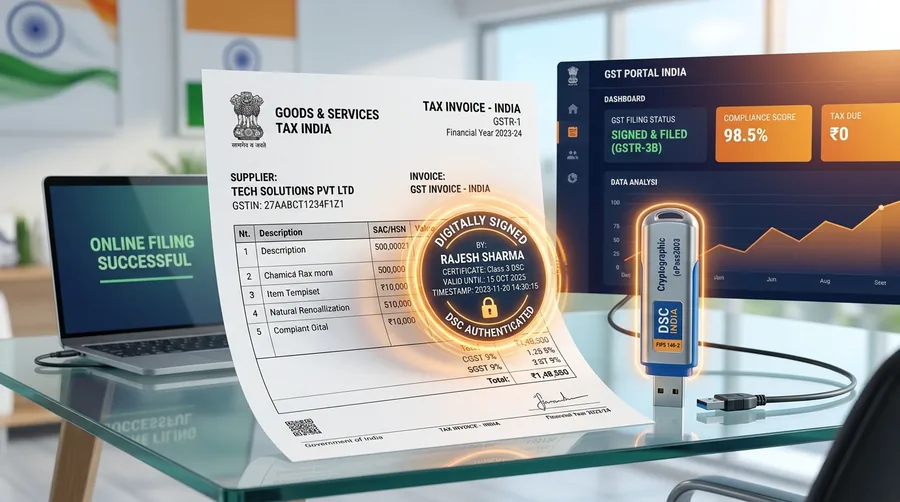
A Goods and Services Tax (GST) Digital Signature Certificate is an electronic identity certificate issued to an Authorized Signatory of a taxable entity. When using the GST Common Portal (gst.gov.in), signing documents digitally ensures that the electronic submissions—including registration forms, monthly tax summaries, annual returns, and refund requests—are authenticated and tamper-evident.
For foundational technical concepts on how public and private key cryptography operates, refer to our comprehensive Class 3 Digital Signature Certificate guide.
Role of Class 3 Signing DSC on the GST Portal
The GST portal utilizes Class 3 Signing certificates for authentication. The digital signature generated by your cryptographic key provides non-repudiation, meaning the filing cannot be altered once signed and the identity of the Authorized Signatory is cryptographically recorded in the GST system audit logs. Unlike government procurement portals that require separate encryption keys, GST portal workflows require only digital signing functionality.
Legal and Regulatory Context
Digital signing on the GST portal derives its legal force from Section 5 of the Information Technology Act, 2000, read alongside the Central Goods and Services Tax (CGST) Act, 2017. Under Indian law, digitally signed GST returns carry the same legal weight as physically signed documents submitted to the tax department.
All Digital Signature Certificates used for GST compliance must be issued by a Certifying Authority (CA) licensed by the Controller of Certifying Authorities (CCA), Ministry of Electronics and Information Technology (MeitY), Government of India. DNB Digital Solutions assists businesses in preparing documentation and obtaining compliant certificates through licensed CAs.
Who Needs a Digital Signature Certificate for GST?
The legal requirement for using a DSC on the GST portal depends directly on the legal constitution of the business entity under Rule 26 of the CGST Rules:
1. Companies, LLPs, and Applicable Entities (Mandatory)
Under GST statutory regulations, authentication using a Digital Signature Certificate is mandatory for:
- Private Limited Companies and Public Limited Companies
- Limited Liability Partnerships (LLPs)
- Foreign Companies and Foreign Limited Liability Partnerships
- Public Sector Undertakings (PSUs) and Government Agencies registered under GST
These corporate entities cannot submit GST filings using an Aadhaar OTP/EVC; submissions must be signed with a valid Class 3 DSC.
2. Proprietorships, Partnerships, and Other Cases (Optional)
For Sole Proprietorships, Hindu Undivided Families (HUFs), and Partnership Firms, using a DSC is optional. These entities have the flexibility to verify filings through an Electronic Verification Code (EVC) generated via mobile OTP linked to the Authorized Signatory’s Aadhaar. However, many business owners, tax consultants, and Chartered Accountants prefer using a DSC for higher operational security and faster filing without relying on SMS OTP delivery.
3. Role of the Authorized Signatory and PAN Matching
The GST portal validates certificates against the Personal PAN of the Authorized Signatory registered in the GST portal profile, rather than the corporate PAN of the company. Therefore, the DSC must be issued in the name of the designated Director, Partner, or Authorized Representative whose PAN is explicitly mapped in the GST registration profile. If a Director signs on both the GST and Ministry of Corporate Affairs portals, the same certificate can often be utilized for MCA and ROC compliance filings.
Common GST Activities Where DSC May Be Used
A registered Class 3 DSC is utilized across various stages of the GST lifecycle:
GST Registration and Amendments
Authenticating new GST registration applications (Form GST REG-01), responding to clarification notices (REG-03), and submitting core and non-core amendments (REG-14) for business address, additional places of business, or partner changes.
GST Return Filing
Signing periodic returns including monthly sales summaries (GSTR-1), summary tax returns (GSTR-3B), annual returns (GSTR-9), and reconciliation statements (GSTR-9C) for audited entities.
Letter of Undertaking (LUT)
Submitting the annual Letter of Undertaking (Form GST RFD-11) for zero-rated export of goods or services without payment of Integrated GST (IGST).
Refunds & Legal Applications
Submitting GST refund applications (Form GST RFD-01), revocation of GST cancellation (REG-21), appeal filings, and replying to assessment intimations.
How to Register or Update DSC on the GST Portal
Before signing filings on the GST Common Portal, the Authorized Signatory’s certificate must be registered in their portal user profile.
Prerequisites for GST Portal DSC Registration
- A valid Class 3 Digital Signature Certificate stored on a FIPS-compliant USB crypto token.
- Proprietary token driver (middleware) installed on your computer.
- The official GST emSigner desktop utility installed and running with administrator privileges.
- A compatible web browser (such as Google Chrome, Mozilla Firefox, or Microsoft Edge).
- The Authorized Signatory’s PAN in the DSC must exactly match the PAN entered in the GST profile.
Step-by-Step GST Portal DSC Registration
- Launch GST emSigner: Start the GST emSigner application on your computer. Ensure it shows a status confirming the local service is running.
- Connect USB Token: Plug your cryptographic USB token into an active USB port.
- Log in to GST Portal: Visit gst.gov.in and log in with your credentials.
- Access Profile Settings: Click on your username in the top right corner and select My Profile.
- Select Register / Update DSC: Under the Quick Links section, click on Register / Update DSC.
- Choose Authorized Signatory: Select the Authorized Signatory name from the drop-down list and click Proceed.
- Sign & Authenticate: The emSigner dialogue box will open displaying your certificate details. Select the certificate, enter your token PIN, and click Sign.
- Confirmation: A success message will appear confirming that your DSC has been registered successfully.
Common GST DSC and emSigner Problems
During portal registration or return filing, users occasionally encounter technical hurdles. Here are common issues and recommended troubleshooting steps:
1. emSigner Connection Problems
If the portal displays "Failed to establish connection to the server. Restart the emSigner", the local WebSocket service is likely inactive or blocked. Troubleshooting involves running the GST emSigner executable as Administrator, checking that port 1585 is open for local loopback communication, and ensuring Java runtime components are up to date.
2. Certificate or PAN Mismatch
If the error "PAN in certificate does not match the PAN of Authorized Signatory" appears, verify whether the DSC belongs to the specific individual registered under Authorized Signatories on the GST portal. If a new signatory has taken over, update the Authorized Signatory details via non-core amendment before registering the new DSC.
3. Token Not Detected / Certificate Not Available
If the emSigner window opens but the certificate list is blank, verify that the USB token middleware driver (e.g., ProxKey, ePass2003, WatchKey) is properly installed and active in your system tray. Testing the token using its manufacturer tool confirms whether the digital certificate is recognized locally.
Documents Required for GST DSC
Documentation requirements vary based on the applicant’s business constitution and the chosen verification route:
Company / LLP Authorized Signatory
- •Applicant ID: Self-attested PAN and Aadhaar Card of the Authorized Signatory.
- •Entity PAN: Copy of the Company or LLP PAN card.
- •Registration Proof: Certificate of Incorporation, LLP Agreement, or GST Registration Certificate.
- •Authorization Letter: Board Resolution or authorization letter on official letterhead signed by Director/Partner.
Individual / Proprietorship Applicant
- •PAN Card: Self-attested copy of applicant PAN card.
- •Address Proof: Aadhaar Card, Passport, Voter ID, or Driving License.
- •Photograph: Recent passport-size photograph.
- •Business Proof (Optional): GST certificate or trade license if organization details are included.
* Note: Specific documentary requirements may vary depending on the issuing Certifying Authority and whether Aadhaar paperless eKYC is selected.
GST DSC Application and eKYC Process
Applying for a Class 3 GST DSC is an entirely digital, paperless process guided by our team:
Document Submission & Verification
Submit basic KYC details for paperless Aadhaar OTP or PAN-based verification.
Video / eKYC Verification
Record a quick 20–30 second video verification using a mobile phone or webcam displaying original documents.
Issuance & Token Setup
Upon approval by the licensed CA, the certificate is generated and loaded onto a secure FIPS USB crypto token.
USB Cryptographic Token Requirements
In accordance with security directives issued by the Controller of Certifying Authorities (CCA), private cryptographic keys for Class 3 DSCs must reside inside a dedicated hardware USB crypto token meeting FIPS 140-2 Level 2 security standards.
Hardware tokens prevent unauthorized copying or exporting of private keys. Common CCA-compliant token brands in India include ProxKey, ePass2003Auto, WatchKey, and mToken. DNB Digital Solutions supplies pre-configured compliant tokens or assists you in downloading renewed certificates onto your existing operational hardware.
GST DSC Validity and Renewal
Digital Signature Certificates for GST are typically issued with validity periods of 1 year or 2 years. Once expired, cryptographic signatures created by the token will no longer be accepted by the GST system.
To maintain continuous filing compliance and prevent GST portal authentication lockouts, applicants should renew their certificates prior to expiration. If your physical USB token is functional, the renewed certificate can be downloaded directly onto it.
Learn more about our streamlined renewal process on our dedicated DSC renewal service page.
GST DSC Pricing
Pricing for GST DSC depends on whether you require an Individual or Organization certificate, your chosen validity term (1 Year or 2 Years), and whether you need a new FIPS USB crypto token or certificate renewal on an existing device.
DNB Digital Solutions offers competitive, transparent rates with complete assistance for documentation, verification, and emSigner setup.
Frequently Asked Questions
Get Professional GST DSC Application Assistance
Connect with DNB Digital Solutions for fast paperless eKYC processing, compliant USB tokens, and complete GST portal registration support.