Class 3 Digital Signature Certificate (DSC) for DGFT & Import Export in India
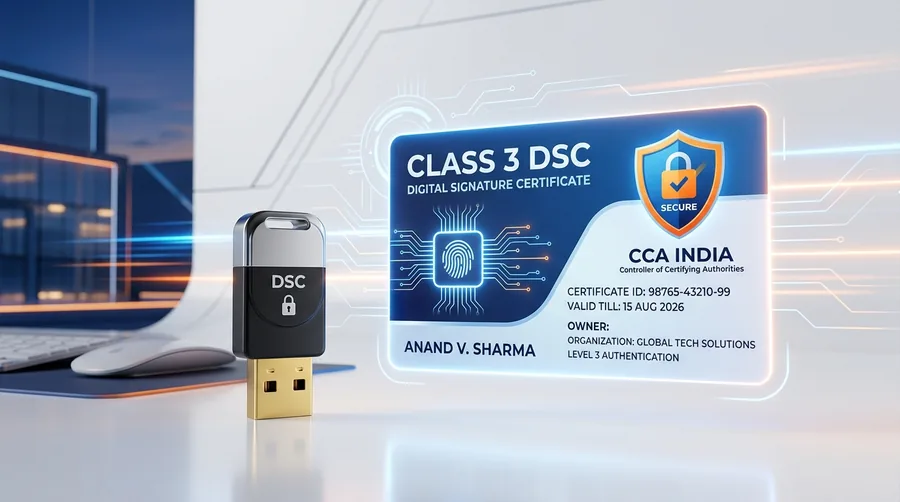
A Class 3 Digital Signature Certificate is utilized by importers, exporters, and corporate authorized signatories to authenticate Importer-Exporter Code (IEC) applications, link user profiles, and submit foreign trade authorizations on the Directorate General of Foreign Trade (DGFT) portal. DNB Digital Solutions provides complete application facilitation, paperless eKYC assistance, and USB token setup.
Overview of Digital Signature Certificates for DGFT & IEC
In India’s foreign trade ecosystem, the Directorate General of Foreign Trade (DGFT), under the Ministry of Commerce and Industry, administers the regulatory framework for cross-border trade. To facilitate transparent, paperless compliance, the DGFT digital platform (dgft.gov.in) relies on Public Key Infrastructure (PKI) to authenticate exporters, importers, and authorized corporate representatives.
A Digital Signature Certificate (DSC) acts as a secure, legally recognized digital credential that binds an individual’s identity or organizational authorization to electronic submissions. For foundational technical concepts on cryptographic keys and standards, explore our primary Class 3 Digital Signature Certificate guide.
Role of Class 3 Signing DSC in Foreign Trade
Transactions executed on the DGFT portal utilize Class 3 Signing certificates. When you electronically sign an application—such as an Importer-Exporter Code (IEC) registration or an advance license request—the signature establishes non-repudiation and data integrity. This ensures that the submitted trade data cannot be altered in transit and provides verifiable proof of the signatory’s identity.
Legal and Regulatory Basis
Electronic signatures executed via DSC on government portals are recognized under Section 5 of the Information Technology Act, 2000, which accords digital signatures legal parity with physical ink signatures. Under the Foreign Trade (Development and Regulation) Act and Foreign Trade Policy guidelines, electronic authentication is required for processing trade benefits, authorizations, and statutory IEC records.
All DSCs used for DGFT submissions must be issued by a Certifying Authority (CA) licensed by the Controller of Certifying Authorities (CCA), Ministry of Electronics and Information Technology (MeitY), Government of India. DNB Digital Solutions operates as an application assistance and facilitation provider, guiding businesses through documentation and verification to obtain compliant certificates from licensed CAs.
Who Needs a Digital Signature Certificate on the DGFT Portal?
Digital authentication requirements on the DGFT platform depend on the legal constitution of the business entity and the specific trade workflow:
1. Companies and LLPs (Mandatory)
For corporate organizations, authentication using an Organization-based Class 3 Digital Signature Certificate is required for DGFT transactions. This applies to:
- Private Limited Companies and Public Limited Companies
- Limited Liability Partnerships (LLPs)
- Foreign Entities and Joint Ventures operating in India
- Section 8 Companies and Public Sector Undertakings (PSUs)
For these entities, the Organization Name (`O` parameter) in the DSC must match the organization name recorded in the PAN database of the IEC profile, and the signatory’s personal PAN must match the registered user profile.
2. Proprietorship Firms
Sole Proprietors have the flexibility to verify certain basic IEC operations using either an Aadhaar-based OTP (eSign) or a Class 3 DSC (Individual or Organization token). When using a DSC, the certificate serial number must match the SHA-256 hash of the proprietor's PAN linked to the IEC profile. Many proprietors choose a Class 3 DSC to avoid SMS OTP delays and ensure smooth operational access.
3. Other Business Entities (Partnerships, Trusts & Societies)
Partnership firms, registered trusts, societies, and Hindu Undivided Families (HUFs) conducting import-export operations typically use an Organization-based Class 3 DSC issued to their authorized managing partner or trustee. This ensures that filings on the portal are authenticated by the designated representative recorded in the firm's trade records.
Key DGFT & Foreign Trade Activities Where DSC Is Used
A registered Class 3 DSC enables authorized representatives to authenticate critical foreign trade filings and statutory procedures:
IEC Application & Registration
Signing online applications for obtaining a new 10-digit Importer-Exporter Code (IEC) issued by the Directorate General of Foreign Trade.
Annual IEC Profile Modification & Update
Executing mandatory annual IEC profile validations under the Foreign Trade Policy, updating branch addresses, partner/director lists, and bank account credentials.
Linking IEC to DGFT User Profile
Authenticating the linkage between an individual portal user account and an existing corporate IEC profile to manage trade submissions securely.
Advance Authorization & EPCG Licenses
Applying for duty-exempt raw material import authorizations (Advance Authorization) and Export Promotion Capital Goods (EPCG) concessional duty schemes.
Export Incentive & Scrip Applications
Submitting claims for export promotion schemes including RoDTEP (Remission of Duties and Taxes on Exported Products), RoSCTL, and Duty Drawback.
Deficiency Responses & Formal Communications
Electronically responding to DGFT deficiency letters, submitting clarifications, and filing redemption or closure requests for export obligation fulfillment.
Class 3 DSC Specifications for DGFT Compliance
Signing Certificate Configuration
The DGFT portal requires a Class 3 Signing certificate based on 2048-bit RSA asymmetric cryptography and SHA-256 hashing. A standalone signing certificate contains the applicant’s public key and identity attributes used to sign payloads. A combo certificate (Signing + Encryption) is not strictly mandatory for DGFT workflows, though combo certificates are necessary if the token will also be used on government e-procurement platforms.
FIPS 140-2 Level 2 USB Cryptographic Token
In compliance with CCA security guidelines, the private signing key is generated directly inside a hardware cryptographic USB token meeting FIPS 140-2 Level 2 standards (e.g., HypKey, ProxKey, WatchKey, ePass 2003, or mToken). The private key is password-protected and cannot be copied, exported, or transferred to software files, ensuring robust physical and cryptographic security.
Using One DSC Across Multiple Portals
An Organization-based Class 3 Signing DSC issued to a director, partner, or authorized signatory can often be registered across multiple statutory platforms if the signatory PAN and entity details match the respective portal databases:
- GST Common Portal for return filing, registrations, and LUT submissions.
- MCA21 Portal for company annual filings (AOC-4, MGT-7) and director changes.
- Income Tax e-Filing Portal for corporate ITR authentication and tax audit report submissions.
- Government e-Tender Portals (CPPP, GeM, IREPS) when equipped with encryption keys.
DGFT DSC Registration & Token Setup Guide
Follow this step-by-step procedure to register and link your Class 3 DSC on the official DGFT portal:
Step 1: Install Token Drivers & Connect USB Token
Plug your cryptographic USB token into your computer and install the proprietary token driver (such as HypKey, ProxKey, or ePass driver software) supplied with the device.
Step 2: Install & Launch eMBridge Utility
Download and install the official eMBridge signing utility from the DGFT portal or the eMudhra utility download page. Ensure the eMBridge service is running in the background with local Administrator rights.
Step 3: Navigate to Portal Registration Menu
Log in to your account at dgft.gov.in. From the main navigation menu, click on My Dashboard and select View and Register Digital Signature Token.
Step 4: Select Certificate & Authenticate Token PIN
Select your token provider/service from the dropdown list, click Register New DSC, select your active Class 3 certificate, and enter your secure token PIN to complete registration.
eMBridge: DGFT Client-Side Signing Utility
The DGFT portal uses the eMBridge utility (developed by eMudhra) as its standardized client-side signing component. Because modern web browsers restrict web applications from directly interacting with physical USB hardware for security reasons, the eMBridge utility acts as a secure local WebSocket communication bridge between your web browser and the cryptographic USB token.
Key operational requirements for the eMBridge signing utility include:
- Administrator Privileges: The utility must be installed and executed with Administrator permissions on Windows, macOS, or Linux systems.
- Browser Compatibility: Supported on modern versions of Google Chrome, Mozilla Firefox, and Microsoft Edge.
- Local Service Status: The eMBridge service icon must be visible and active in your system tray or background processes before initiating signing actions on the portal.
- Port Availability: Local firewall and antivirus utilities should permit internal localhost communication between the browser and the eMBridge service.
Documents Required for DGFT DSC Application
Obtaining a Class 3 DSC involves identity and organizational verification in accordance with CCA guidelines. Typical requirements include:
For Individual / Sole Proprietor DSC
- •PAN Card of the applicant (proprietor)
- •Aadhaar Card or Passport for identity and address verification
- •Recent passport-size photograph
- •Active mobile number and email ID for OTP verification
For Organization-Based DSC (Company / LLP)
- •PAN Card of the Authorized Signatory (Director / Partner)
- •Aadhaar Card or Passport of the Signatory
- •Company / LLP PAN Card & Certificate of Incorporation
- •Board Resolution or Authorization Letter signed by another director/partner
- •Latest bank statement or GST registration certificate (if required by CA)
Paperless eKYC & DSC Application Process
DNB Digital Solutions streamlines the DSC acquisition process with full remote verification:
Select Appropriate Certificate & Validity
Choose between Individual and Organization Class 3 Signing DSC with 1-year or 2-year validity based on your business requirements.
Submit Application & Supporting Documents
Provide applicant identification and organizational documentation for verification processing.
Complete Paperless eKYC
Perform instant paperless identity verification using Aadhaar OTP or PAN-based verification on the CA portal.
Quick Video Verification
Record a 30-second video verification via mobile camera or webcam holding your original PAN card as required by CCA guidelines.
Certificate Issuance & Token Configuration
Upon CA approval, your certificate is generated and securely downloaded onto a FIPS 140-2 Level 2 USB crypto token.
Register DSC on the DGFT Portal
Connect your token, run the eMBridge utility, and link the certificate under your DGFT portal profile for immediate use.
Common DGFT DSC Problems & Troubleshooting
If you encounter errors while registering or signing on the DGFT portal, consider these diagnostic checks:
1. "Token Not Connected" or "No Certificate Found"
Ensure that the physical USB token is firmly plugged into your computer and that the hardware LED light is lit. Verify that the proprietary token middleware (such as HypKey or ProxKey driver) is installed and that the certificate is visible inside the token management tool.
2. "eMBridge Service Is Not Running" Error
Check whether the eMBridge application is active in your Windows system tray or Mac menu bar. If it is inactive, right-click the eMBridge shortcut and select Run as Administrator. If the error persists, ensure that local firewall settings allow communication over localhost ports.
3. Certificate or PAN / Organization Name Mismatch
The DGFT portal validates the certificate against the IEC profile database. For proprietorships, the DSC PAN must match the proprietor's PAN in the IEC. For companies and LLPs, the Organization Name in the DSC must match the entity name as per the Income Tax PAN database. In case of discrepancies, the IEC profile or certificate attributes may require correction.
4. DSC Not Registered or Session Timeout
If your token was previously working but signing fails, navigate to My Dashboard > View and Register Digital Signature Token to verify if the certificate is currently mapped. If you have recently renewed your DSC, the newly issued certificate must be registered afresh on the portal.
DSC Validity, Replacement & Renewal for Exporters
Digital Signature Certificates are issued with defined validity periods—typically 1 year or 2 years. Because foreign trade filings, annual IEC updates, and export incentive claims have strict statutory deadlines, maintaining an active DSC is essential for avoiding regulatory delays.
When your certificate approaches expiration, you can initiate a renewal application through our dedicated DSC renewal service. If your existing USB hardware token is operational and conforms to current CCA FIPS standards, the renewed certificate can be downloaded directly onto the existing token, reducing unnecessary hardware costs.
Transparent DSC Pricing & Plans
DNB Digital Solutions provides transparent, competitive pricing for Class 3 Digital Signature Certificates. The total cost depends on your chosen certificate configuration:
• Applicant Category: Individual / Sole Proprietor vs. Organization-based DSC for Companies and LLPs.
• Validity Options: 1-Year or 2-Year validity plans.
• Token Requirement: New FIPS 140-2 Level 2 USB crypto token or renewal download on your existing compatible hardware token.
Frequently Asked Questions About DGFT Digital Signatures
Have additional questions regarding DSC registration or portal compliance? Browse our comprehensive FAQ library or contact our support team.
Get Professional DGFT & Import Export DSC Assistance
Connect with DNB Digital Solutions for fast paperless eKYC processing, compliant USB tokens, and complete DGFT eMBridge portal setup support.